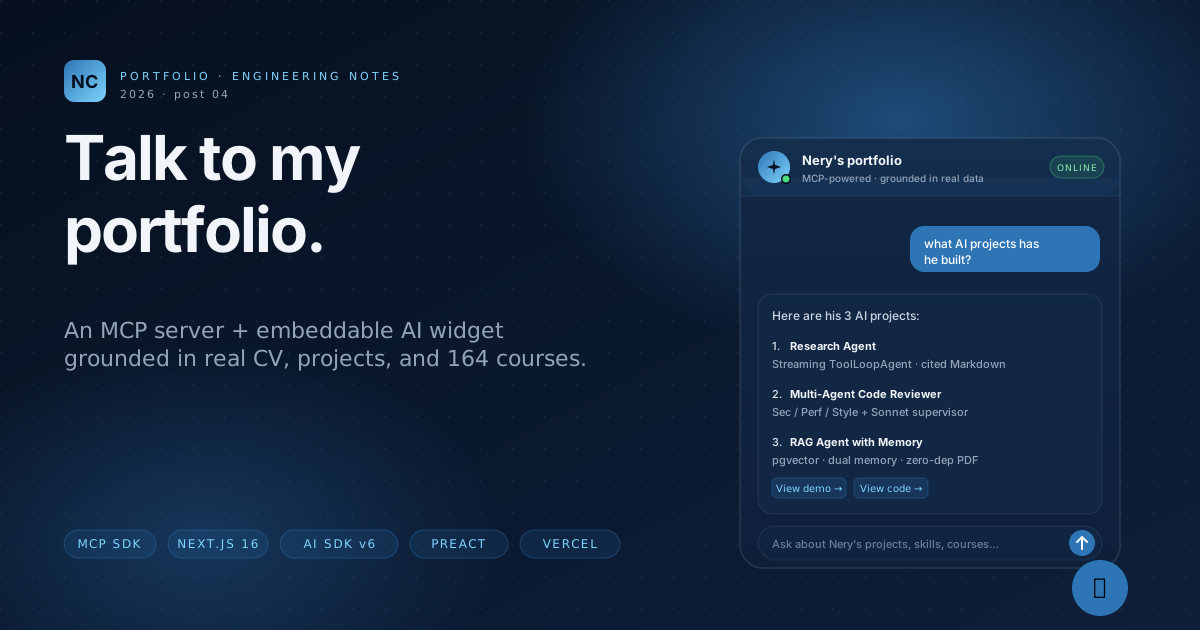
This is the fourth and most ambitious project in the Talent Global portfolio series. The previous three (research agent, multi-agent reviewer, RAG with memory) were standalone Next.js apps. This one is a protocol implementation, a multi-package monorepo, and a piece of JavaScript that has to embed itself into someone else's HTML page — my own portfolio.
If you opened this post from the bottom-right corner of neryc.github.io/nery-cano-portfolio, you already clicked the FAB. That little 💬 button loads widget.js, mounts a Preact component, opens an iframe pointing at a Next.js page, and from there talks to a Model Context Protocol server that exposes a structured view of my entire professional history.
The fun part: it took ten minutes to design and several hours to debug. Six production bugs separated "passes all 115 tests locally" from "actually works on Vercel." This is the long version of what's inside.
🔗 github.com/NeryC/talk-to-my-portfolio · live demo · MCP endpoint
What it is, in one paragraph
An MCP server exposes 9 tools, 4 resources, and 3 prompts that read from JSON/Markdown files describing my CV, my projects, my work experience, my skills, and 164 real Platzi diplomas scraped via Playwright. Any MCP-compatible client (Claude Desktop, ChatGPT desktop, your own agent) can connect over Streamable HTTP and ask things like "What projects has Nery built with TypeScript and Anthropic Claude?". Answers come from the structured data, not from the model's training set — so there are no hallucinations about my background.
The same server also feeds a chat widget that I embed on this very portfolio. That gives recruiters a one-click way to ask anything about me without scrolling through 1,500 lines of HTML.
Figure 1 · Big picture. The portfolio loads widget.js, which mounts a FAB and an iframe pointing at /widget on Vercel. From there everything is one Next.js deployment — the MCP server runs in-process alongside the agent.
The monorepo, briefly
Four pnpm workspace packages:
apps/web— Next.js 16 (App Router, Turbopack). Hosts/widget(the iframe UI),/demo(the standalone chat),/api/agent(streaming agent route), and/api/mcp(Streamable HTTP MCP transport).packages/mcp-server—@neryc/portfolio-mcp. Pure TypeScript that registers tools/resources/prompts against the MCP SDK. Has its own CLI binary for stdio mode (so Claude Desktop can launch it locally).packages/shared— Zod schemas + typed data loaders + the JSON/Markdown seed files. Both apps and the MCP server import from here.packages/widget— The Preact + esbuild bundle that becomeswidget.js. Output is dropped intoapps/web/public/so Vercel serves it at the public origin.
Plus scripts/sync-platzi — a Playwright scraper that logs into Platzi once, walks the public profile + learning dashboard, and dumps 164 real courses with diploma URLs into packages/shared/data/courses.json. That data is what the MCP server returns when an agent asks "show me Nery's Python certificates."
What's MCP, and why use it for this?
The Model Context Protocol is a small JSON-RPC protocol Anthropic published in late 2024 to standardize the conversation between an LLM client and a tool/data backend. A server exposes:
- Tools — callable functions with Zod (or JSON Schema) parameters. Same role as OpenAI's function calling, except portable across providers.
- Resources — read-only URIs the client can fetch. Think files, but addressable by scheme (
portfolio://cv/full,portfolio://projects/research-agent/case-study). - Prompts — parametrized prompt templates that bundle instructions + arguments + sampling preferences.
It also supports sampling (the server asking the client to run an LLM call) and elicitation (the server asking the client to collect structured input from the user). These are the bits that make MCP feel different from "just function calling."
Figure 2 · The MCP handshake. The client initializes with its capabilities; the server replies with what it can do; tool calls flow back and forth; sampling and elicitation requests go the other way too — server asks the client.
The wire format is plain JSON-RPC 2.0. The transport can be stdio (local subprocess, used by Claude Desktop) or Streamable HTTP (one-shot POST that returns either JSON or an SSE stream, used by remote clients). The SDK ships both server- and client-side transports for each.
So why bother with MCP for a portfolio chatbot? I could have written a plain Next.js API route. Three answers:
- Portability. The same server runs locally over stdio (so a hiring manager could add it to Claude Desktop and ask questions in their existing tool) and remotely over HTTP (so I can power a public widget). One code path, two transports.
- It's the project, not just a means. The role I'm targeting (LLM/AI Full-Stack Engineer) cares that I can implement protocols, not just call them. MCP is the closest thing to a "standard" in agent tooling right now; doing it well is the demo.
- Sampling and elicitation. Without these, "book a call" would be a server-side stub that just emails Cal.com. With them, the booking flow can ask the client for the user's name + preferred slot via a structured form, then ask the client's LLM to draft a personalized confirmation message. The server orchestrates; the client renders.
The MCP server: 9 tools, 4 resources, 3 prompts
Every tool is a tiny object: a Zod input schema and an execute async function. The same pattern as Vercel AI SDK's tool(), just transport-agnostic.
// packages/mcp-server/src/tools/list-projects.ts
import { z } from 'zod';
import { loadProjects } from '@neryc/portfolio-shared';

export const listProjectsTool = {
  name: 'listProjects',
  description: 'List all portfolio projects with slug, title, and tagline.',
  inputSchema: z.object({}),
  execute: async () => {
    const projects = loadProjects();
    return {
      projects: projects.map((p) => ({
        slug: p.slug,
        title: p.title,
        tagline: p.tagline,
        tags: p.tags,
        demoUrl: p.demoUrl,
        githubUrl: p.githubUrl,
      })),
    };
  },
};
The full tool registry:
| Tool | What it does |
|---|---|
listProjects | All projects, summary view |
getProject | Full project detail by slug |
searchByTech | Search projects + courses + experience by tech keyword |
searchCourses | Search 164 Platzi certificates by topic |
getCourse | One course with verifiable diploma URL |
getExperience | Full work history (companies, roles, impact) |
getSkills | Skills grouped by area (languages, frameworks, infra, AI) |
getAvailability | Cal.com availability for a date range |
bookCall | Book a 30-minute call (elicits name + email + slot) |
Resources expose readable URIs that LLM clients can fetch directly:
// portfolio://cv/full                       → text/markdown, the full CV
// portfolio://projects/{slug}/readme         → text/markdown, project README
// portfolio://projects/{slug}/case-study     → text/markdown, project case study
// portfolio://courses/{slug}/certificate     → application/json, diploma metadata
And the prompts encode three reusable agent flows. Each gets pulled with prompts/get and applied to the conversation:
// pitch-for-role          → tailored pitch for a job description (uses sampling)
// tech-deep-dive          → focused walkthrough of one technology (uses sampling)
// compare-with-jd         → side-by-side fit analysis (uses sampling + elicitation)
The "uses sampling" annotation is real: pitch-for-role first asks the server for tool-grounded facts, then issues a sampling request back to the client to compose the pitch using the client's LLM. The server never calls Anthropic itself — it just orchestrates.
Sampling means the server asks the client to run an LLM call. The client decides which model, applies its own rate-limits and safety filters, and returns the completion. For a portfolio server this is free: I don't pay for tokens, the client (Claude Desktop, my agent, etc.) does. For internal tooling it's how you let a server compose summaries without giving it its own API key.
The chat agent: AI SDK v6 + in-process MCP
The widget chat (/widget page) talks to /api/agent. That route builds a ToolLoopAgent from the AI SDK v6, hands it the MCP-discovered tools, and streams the response back as a UI Message Stream.
The clever bit is how it discovers the tools. There are two MCP clients in this codebase:
- An HTTP client for external MCP servers (e.g. GitHub MCP, if you wanted to bolt that in).
- An in-process client for the portfolio MCP server, since it lives in the same Node process as the agent route.
Figure 3 · The fix that mattered most. The first version of /api/agent made an HTTP self-call to /api/mcp. That works locally but on Vercel the two functions land on different workers, the MCP transport is stateful, and the second call fails with "Server not initialized." The fix: link client and server with the SDK's InMemoryTransport, all in the same process.
The in-process bridge is twelve lines:
// apps/web/lib/mcp-client.ts
import { Client } from '@modelcontextprotocol/sdk/client/index.js';
import { InMemoryTransport } from '@modelcontextprotocol/sdk/inMemory.js';
import { buildServer } from '@neryc/portfolio-mcp/server';

export async function connectInProcessPortfolio(name: string) {
  const [clientTransport, serverTransport] = InMemoryTransport.createLinkedPair();
  const { server } = buildServer();
  await server.connect(serverTransport);
  const client = new Client(
    { name: 'web-host', version: '0.0.0' },
    { capabilities: { sampling: {}, elicitation: {} } },
  );
  await client.connect(clientTransport);
  return { name, client };
}
The agent itself is short. Discover the tools, wrap them so the AI SDK can call them, hand them to ToolLoopAgent:
// apps/web/lib/agent.ts
export function buildAgent(discovered: DiscoveredTool[]) {
  const aiTools = Object.fromEntries(
    discovered.map((t) => [
      t.name,
      tool({
        description: t.description,
        // The MCP server returns JSON Schema, not Zod. Wrap with jsonSchema()
        // so the AI SDK knows it's a schema-like object, not a Zod instance.
        inputSchema: jsonSchema(t.inputSchema) as never,
        execute: async (args) => {
          const result = await t.invoke(args);
          const first = result.content[0];
          if (first?.type === 'text') {
            try { return JSON.parse(first.text); } catch { return { text: first.text }; }
          }
          return result;
        },
      }),
    ]),
  );

  return new ToolLoopAgent({
    model: 'anthropic/claude-sonnet-4-6', // routes through Vercel AI Gateway
    instructions: SYSTEM_PROMPT,
    tools: aiTools,
    stopWhen: stepCountIs(10),
  });
}
And the route is twenty lines, mostly rate-limiting and message conversion:
// apps/web/app/api/agent/route.ts
export const runtime = 'nodejs';
export const maxDuration = 300;

let _ctxPromise: Promise<AgentContext> | null = null;

function getAgentContext() {
  if (_ctxPromise) return _ctxPromise;
  _ctxPromise = (async () => {
    const portfolio = await connectInProcessPortfolio('portfolio');
    const tools = await discoverToolsFromServers([portfolio]);
    return { agent: buildAgent(tools) };
  })();
  return _ctxPromise;
}

export async function POST(req: NextRequest) {
  const ip = req.headers.get('x-forwarded-for')?.split(',')[0] ?? 'anon';
  const limit = await rateLimit(ip);
  if (!limit.allowed) return new Response(JSON.stringify({ error: 'rate-limited' }), { status: 429 });

  const { messages } = await req.json() as { messages: UIMessage[] };
  const { agent } = await getAgentContext();
  const modelMessages = await convertToModelMessages(messages);
  const result = await agent.stream({ messages: modelMessages });
  return result.toUIMessageStreamResponse();
}
The agent context is memoized at module scope, so warm invocations re-use the in-process MCP client. On Vercel the worker recycles every few minutes; cold-start cost is ~50 ms.
The embeddable widget: Preact + esbuild + a single <script> tag
For the FAB to drop into any HTML page (including my static GitHub Pages portfolio), the widget bundle has three constraints:
- It has to fit on a budget. 13 KB minified, no React, no Tailwind shipped to the host.
- It has to isolate styles. If the host page has aggressive CSS resets or its own utility classes, the widget can't break. Putting the heavy UI inside an iframe sidesteps that problem entirely.
- It has to know its own origin. The script is hosted at
talk-to-my-portfolio.vercel.app/widget.js; the iframe needs to load from the same host. Hardcoding the URL is fragile, so the bundle readsdocument.currentScript.srcat load time and trims off/widget.js.
The full source is <100 lines:
// packages/widget/src/index.tsx
import { h, render } from 'preact';
import { useState } from 'preact/hooks';

const WIDGET_HOST =
  (document.currentScript as HTMLScriptElement | null)?.src?.replace(/\/widget\.js.*$/, '') ??
  'https://talk-to-my-portfolio.vercel.app';

const COLOR_ACCENT = '#2E75B6';
const COLOR_ACCENT_HOVER = '#4FA9E8';
const COLOR_PANEL_BG = '#06101F';

function FAB() {
  const [open, setOpen] = useState(false);
  const [hover, setHover] = useState(false);
  return (
    <div style={{ position: 'fixed', bottom: 24, right: 24, zIndex: 999999, fontFamily: 'Inter, system-ui, sans-serif' }}>
      {open && (
        <div style={{
          width: 'min(440px, calc(100vw - 32px))',
          height: 'min(640px, calc(100vh - 96px))',
          marginBottom: 12, borderRadius: 16, overflow: 'hidden',
          boxShadow: '0 20px 40px -8px rgba(6,16,31,0.55), 0 8px 16px -4px rgba(46,117,182,0.25)',
          background: COLOR_PANEL_BG,
          border: '1px solid rgba(148, 163, 184, 0.14)',
        }}>
          <iframe src={`${WIDGET_HOST}/widget`} style={{ width: '100%', height: '100%', border: 0 }} />
        </div>
      )}
      <button onClick={() => setOpen(!open)} /* ...styled FAB... */>
        {open ? '×' : '💬'}
      </button>
    </div>
  );
}

const mount = document.createElement('div');
mount.id = 'portfolio-widget-root';
document.body.appendChild(mount);
render(<FAB />, mount);
esbuild bundles this as an IIFE, aliases react and react-dom to preact/compat, and writes the output directly into apps/web/public/widget.js so Vercel serves it under the public origin:
// packages/widget/esbuild.config.mjs
await build({
  entryPoints: ['src/index.tsx'],
  bundle: true,
  outfile: '../../apps/web/public/widget.js',
  format: 'iife',
  globalName: 'PortfolioWidget',
  target: 'es2020',
  minify: true,
  jsx: 'automatic',
  jsxImportSource: 'preact',
  alias: { react: 'preact/compat', 'react-dom': 'preact/compat' },
});
On the host (this portfolio), the integration is exactly one line above </body>:
<script src="https://talk-to-my-portfolio.vercel.app/widget.js" async defer></script>Two bytes of work for the host, one CDN-cached file, no framework lock-in.
The six bugs that broke production
Local tests passed. pnpm test reported 115 green. pnpm build compiled. I pushed to Vercel and opened /api/mcp from curl — and got a 500. Then /api/agent also 500'd. Six bugs separated "works locally" from "live."
What follows is the chronology, in the order they surfaced. Each one is the kind of thing that doesn't show up in unit tests because it's about how the platform bundles and runs the code, not about logic.
ENOENT: cannot open /var/task/packages/mcp-server/package.jsonbuildServer() reads its own package.json at module-evaluation time to get its name and version. Locally that file exists. On Vercel, Turbopack bundles every route module into a single chunk in .next/server/..., and the original relative path ../package.json resolves to nowhere. The serverless function throws on import, so the route never even runs.// BEFORE
const pkg = JSON.parse(
readFileSync(join(dirname(fileURLToPath(import.meta.url)), '..', 'package.json'), 'utf-8')
);
// AFTER — JSON import that Turbopack inlines at build time
import pkg from '../package.json' with { type: 'json' };/api/agent built an HTTP MCP client pointing at its own /api/mcp route. Locally everything is one Node process. On Vercel the two routes live in separate serverless functions. The initialize request hits worker A and creates a session there; the follow-up tools/list hits worker B, which has no session for that ID and returns "Bad Request: Server not initialized."The fix is the in-process MCP client shown in Figure 3 above: InMemoryTransport.createLinkedPair() wires a client and a server inside the same V8 isolate. No HTTP, no session-loss, no second cold start.
Invalid prompt: messages do not match the ModelMessage[] schemauseChat from @ai-sdk/react, which sends UIMessage[] (parts-based, with { type: 'text', text: '…' } shaped tokens). ToolLoopAgent.stream() wants ModelMessage[]. AI SDK v6 exposes convertToModelMessages() as the conversion bridge — I had forgotten to call it.const modelMessages = await convertToModelMessages(messages);
const result = await agent.stream({ messages: modelMessages });TypeError: e is not a function during tool executiontool() expects either a Zod schema (which has .parse) or a Schema created via the SDK's jsonSchema() wrapper. Passing the raw JSON Schema worked at compile time but blew up at runtime when the SDK tried to validate the inputs.// BEFORE
inputSchema: t.inputSchema as never,
// AFTER
inputSchema: jsonSchema(t.inputSchema) as never,anthropic('claude-sonnet-4-6'), which calls Anthropic directly and needs ANTHROPIC_API_KEY. The whole portfolio runs through Vercel AI Gateway (one key, automatic provider failover, usage dashboard). Switching to the string-model form lets AI SDK v6 route through the Gateway whenever AI_GATEWAY_API_KEY is set.// BEFORE — direct Anthropic
model: anthropic('claude-sonnet-4-6'),
// AFTER — routed through Vercel AI Gateway
model: 'anthropic/claude-sonnet-4-6',ENOENT: cannot open packages/shared/data/projects/_index.jsonpackages/shared/data/ via readFileSync. Next.js's dependency tracer follows static imports, so it ships every imported JS file — but raw readFileSync calls are opaque to the tracer, and the data directory got left out of the deployment bundle.// apps/web/next.config.ts
const nextConfig: NextConfig = {
outputFileTracingRoot: path.join(process.cwd(), '..', '..'),
outputFileTracingIncludes: {
'/api/mcp/[[...path]]': ['../../packages/shared/data/**/*'],
'/api/agent': ['../../packages/shared/data/**/*'],
},
};Six fixes, six commits, all live. The full diff is roughly 80 lines of code across the six commits, but each line is the difference between "deploys" and "produces a 500 on first request."
Production tests aren't a substitute for unit tests; they're orthogonal. Of these six bugs, zero were detectable from pnpm test because they all live at the boundary between the application code and the platform — file-system layout, serverless worker boundaries, bundler tracing, env-var contracts. The cheapest way to catch them is to deploy a preview early and hit the endpoints with curl.
The UX polish loop
Once the API worked, the widget itself looked nothing like a finished product. The first cut had Geist for typography, raw JSON tool output rendered inline, table cells breaking mid-word at 360 px width, and a generic light theme that clashed with the dark portfolio. Six more iterations got it to the version embedded in this page.
Figure 4 · Before / after. Same data, same model, same prompt. The left is the first deploy: raw JSON in chat, broken table wrapping, mid-character word breaks, and Geist falling back to the browser default serif because --font-sans: var(--font-sans) was a circular CSS variable. The right is the version live today: Inter typography, hidden tool internals, full-width assistant card, cyan-glow inline tech tokens.
1 · Fix typography
globals.css had --font-sans: var(--font-sans); — a self-reference. Tailwind was happily emitting CSS that resolved to nothing, so the browser fell back to Times. Switched to Inter + JetBrains Mono via next/font/google with proper system-font fallback stacks. Done in two lines.
2 · Hide the tool internals
The first cut rendered every tool call as a card with the raw JSON output below it. Useful for debugging, terrible UX. Now MessageList filters out dynamic-tool and tool-* parts entirely. The agent still calls the tools — visitors just don't see the plumbing.
3 · Tables that don't crush words
At 360 px width, overflow-wrap: anywhere on td/th broke single words at character boundaries: "Proficient" became "Profic / ient." Switched to default word-boundary wrapping plus prose-table:block prose-table:overflow-x-auto so tables wider than the column scroll horizontally instead of being squashed.
4 · Match the parent portfolio's palette
The widget had to feel like part of the portfolio, not a foreign element. Lifted the portfolio's CSS variables verbatim — #06101F deep navy, #2E75B6 primary blue, #7DD3FC accent glow — into the chat's dark theme. Inline <code> now picks up the same cyan-glow + tinted background as on the portfolio's project cards.
5 · Empty state with suggested questions
Before, opening the FAB gave you a blank textarea. After, you get four clickable suggestion chips that seed the conversation in one tap. Recruiters tend to ask the same four things in different words ("what's his stack?", "AI projects?", "where does he work?", "is he available?"), so making them buttons removes the cold-start problem.
6 · Trim incomplete markdown while streaming
The agent emits tokens one-by-one through ReactMarkdown. For a frame or two each cycle, the model emits partial markdown like [Ver diploma] before (https://drive.google.com/...) lands. ReactMarkdown renders the raw text, then snaps to a styled link a moment later — visible as a flicker on every link. A small trimIncompleteMarkdown() helper shaves off any trailing unfinished link/code/emphasis on the last text part of the still-streaming assistant message. The link appears in one shot once the closing token arrives.
function trimIncompleteMarkdown(text: string): string {
  let result = text;
  // Unclosed link: [...] or [...](unclosed
  const lastBracket = result.lastIndexOf('[');
  if (lastBracket !== -1) {
    const tail = result.slice(lastBracket);
    if (!/^\[[^\]]*\]\([^)]+\)/.test(tail)) result = result.slice(0, lastBracket);
  }
  // Unclosed inline code: odd backtick count
  const matches = result.match(/`/g);
  if (matches && matches.length % 2 === 1) {
    result = result.slice(0, result.lastIndexOf('`'));
  }
  // Unclosed bold/italic at end
  return result.replace(/(\*{1,2})$/, '');
}
What the data layer looks like
164 Platzi courses are a lot of structured data to maintain by hand, so I didn't. scripts/sync-platzi is a Playwright bot that logs into Platzi once (interactive, stores the session in .platzi-session/), then on subsequent runs walks the public profile and the learning dashboard, merges both views (the public profile lists completed courses with diplomas; the dashboard has accurate completion dates), and writes the merged result into packages/shared/data/courses.json.
pnpm --filter sync-platzi exec playwright install chromium  # first run only
pnpm --filter sync-platzi sync                              # subsequent runs are headless
The merge is the interesting part. Public-profile entries are authoritative for which courses I've done; dashboard entries are authoritative for when. Joining them gives me a single record per course with both fields, plus the diploma URL extracted from the public profile's link element.
Every record validates against a Zod schema in packages/shared/src/schemas/course.ts, so the MCP server can return type-safe data without re-validating on every call:
export const CourseSchema = z.object({
  slug: z.string(),
  title: z.string(),
  diplomaUrl: z.url().optional(),
  completedAt: z.iso.date().optional(),
  skills: z.array(z.string()),
  category: z.enum(['frontend','backend','ai','data','devops','soft-skills','other']),
});
If Platzi changes their HTML, the scraper breaks loudly with a Zod parse error instead of silently returning junk data. That's been a useful guard rail twice already.
Tests and CI
The project ships with 115 tests across four packages. The interesting split is between the full suite and the @critical subset:
pnpm test            # full: 115 tests (3 skipped)
pnpm test:critical   # @critical only: 27 tests (sampling, elicitation, capabilities)
Critical tests are tagged by wrapping their describe block with @critical:
describe('@critical pitch-for-role with sampling', () => {
  // ...
});
CI runs pnpm test:critical as a separate step before the full suite. If the MCP contract regresses (sampling stops working, elicitation breaks, capability negotiation fails), the pipeline stops at the gate step with an obvious message — instead of burying the failure inside a 115-test run.
The actual CI workflow is also where two production-y bugs surfaced that didn't show up locally:
- Workspace consumers can't typecheck before build.
scripts/sync-platzidepends on@neryc/portfolio-shared, which exports from./dist/index.js. A fresh CI checkout has nodist/directory, sotscfails withTS2307. Reordered the workflow to runpnpm buildbeforepnpm typecheck;pnpm -r buildrespects dependency topology sosharedfinishes before its consumers. - pnpm version conflict. The workflow had
version: 9onpnpm/action-setup@v4;package.jsonhadpackageManager: pnpm@9.12.0. Both set →ERR_PNPM_BAD_PM_VERSION. Removed the action-level version so thepackageManagerfield is the single source of truth.
What I'd do differently
Three things I'd change if I were starting over today:
- Deploy on day zero. All six production bugs would have surfaced a week earlier if I'd put a Vercel preview behind a draft PR from the first commit. Local + tests is necessary, not sufficient.
- Don't read files at module-load time.
readFileSyncat the top of a server module is a footgun on bundled serverless. JSON imports +outputFileTracingIncludesfor the small handful of dynamic reads (Markdown files by slug) is more declarative and survives bundler tracing. - Adopt
InMemoryTransportfrom the start. The HTTP self-call pattern looks correct in a diagram but loses against the realities of serverless worker boundaries. Co-located clients should use the SDK's in-memory transport. The hosted MCP endpoint is still exposed for external consumers (Claude Desktop, etc.); my own agent just doesn't go through it.
The pattern, generalized
This project is a useful template for any "embeddable AI feature" you want to bolt onto a static site or someone else's host. The shape is:
- Backend exposes a structured data model via MCP (tools / resources / prompts). Lives behind a single HTTP endpoint and a stdio binary; one code path, two transports.
- Agent runs on the same Vercel deployment, talks to the MCP server in-process via
InMemoryTransport, streams responses to the browser. - Widget is a tiny Preact + esbuild bundle that loads from your origin, mounts a FAB, and opens an iframe at
/widgetfor the heavy UI. One<script>tag on the host.
~ 2,400 lines of TypeScript total. Five evenings of work. The MCP contract is portable — Claude Desktop can connect to the exact same server tomorrow, no changes needed.
🔗 github.com/NeryC/talk-to-my-portfolio
🔗 Live: talk-to-my-portfolio.vercel.app · MCP endpoint: /api/mcp · Demo UI: /demo
🔗 The FAB you see in the bottom-right corner of this very page is the production widget — try it.